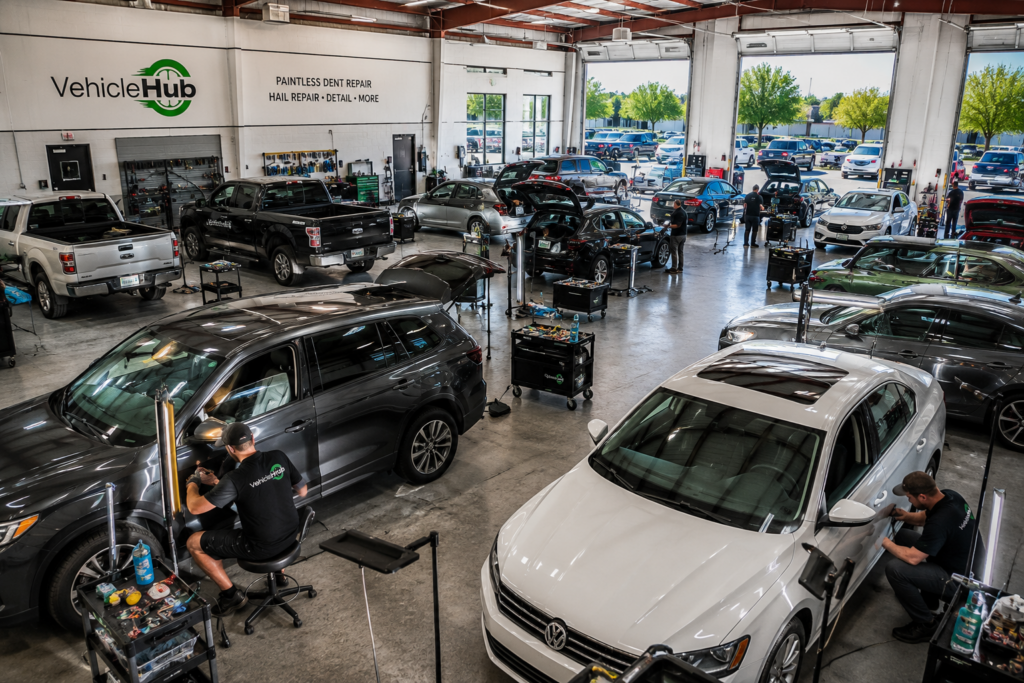
PDR Software

Paper versus Mobile App
PDR Shop, PDR Software, PDR Technique, PDR Tools, Recon Tech, Uncategorized

Going Paperless: Digital Workflow Tools Save PDR Shops Hours

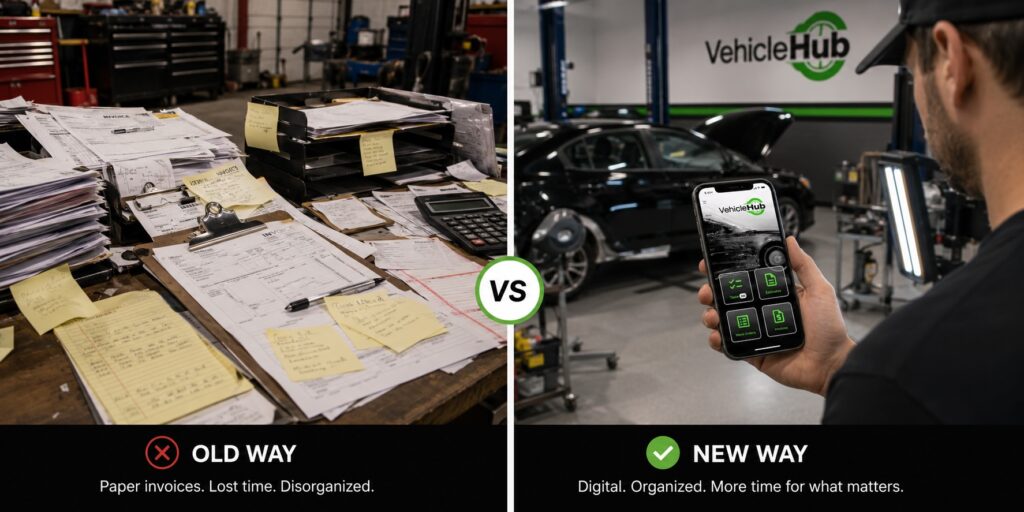
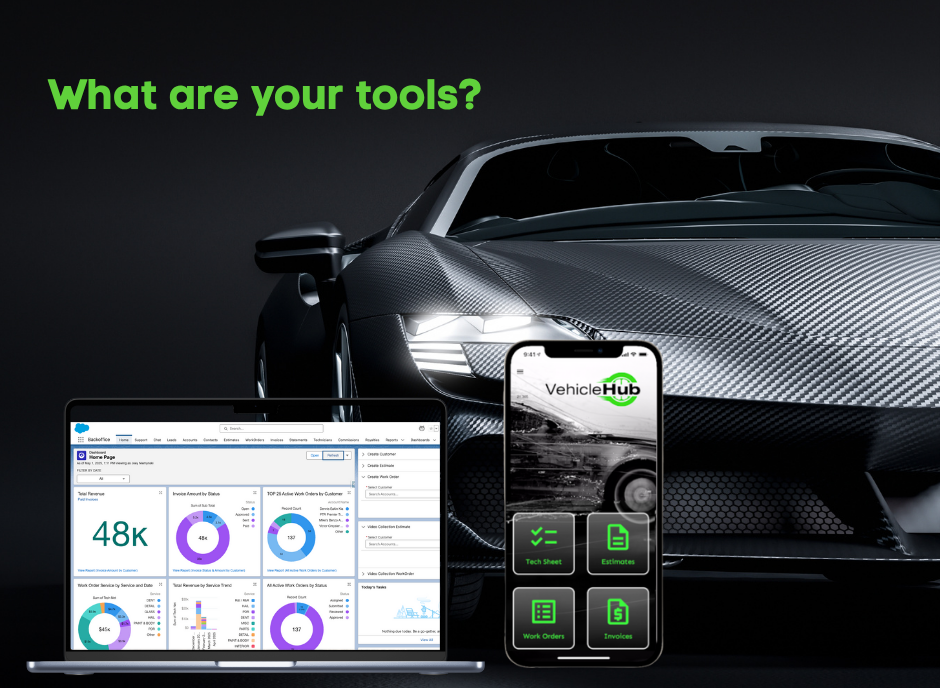
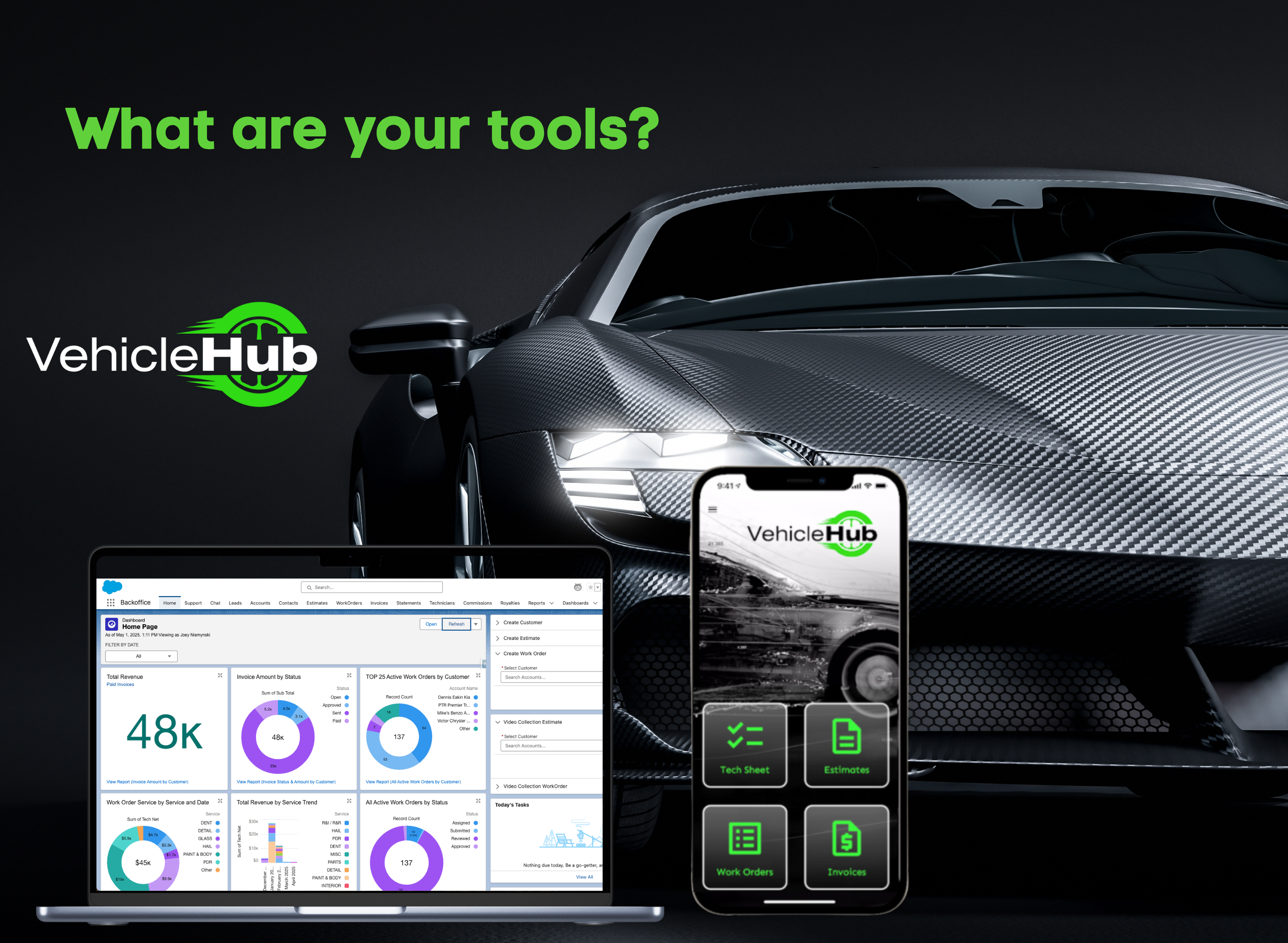
Going Paperless: Digital Workflow Tools That Save PDR Shops Hours Every Week The PDR shop running on paper in 2026 isn’t just behind the curve — it’s actively costing itself money. Not in some theoretical, long-term-efficiency way. Right now, on actual jobs, during actual hail events. Lost estimates. Work orders that don’t make it from the lot to the bay. Invoices that go out a week after the car was delivered. Customer contact info on a sticky note that ended up in the trash. These aren’t unusual horror stories — they’re what paper-based workflows produce at scale, every season. This guide is for shop owners who are ready to stop fighting the paperwork and start running their operations the way their PDR work already runs: systematically, efficiently, and without relying on memory and luck. What ‘Paperless’ Actually Means for a PDR Shop Going paperless doesn’t mean eliminating every physical artifact. It means digitizing the information and workflow steps that currently create friction, slowdowns, and revenue leakage. For a PDR shop, the core workflows that benefit most from going digital are customer intake and contact management, damage documentation and estimates, work order assignment and tracking, invoicing and payment collection, and job history and records. When these five workflows are digital and connected — meaning the info entered at intake flows through to the work order and then to the invoice without re-entry — the time savings and error reduction are significant. When they’re on paper and clipboard, every handoff is a potential failure point. The Real Cost of Paper-Based PDR Operations Time Lost to Re-Entry and Lookup Paper workflows require information to be recorded multiple times: intake form, work order, invoice. Every re-entry takes time and introduces error. When a customer calls to check status, someone has to physically walk to a file or whiteboard. When you’re running 100 cars during a hail event, that adds up to hours per week of pure overhead. Invoice Delays and Revenue Leakage Paper invoice processes have natural lag built in. The tech finishes a car. The paperwork goes to the front desk. The front desk processes the invoice. The customer gets billed. In a busy shop, this chain can take days — and some invoices never get fully closed out. Industry estimates suggest 10-15% of hail-season revenue can leak through billing inefficiencies in shops without tight invoicing systems. Communication Gaps Between Lot and Office When the lot is running on verbal updates and handwritten notes, your office staff is always working with stale information. Customers calling for updates get ‘let me check and call you back.’ Techs finishing cars have to find someone to notify. Status lives in people’s heads rather than in a system anyone can check. No Job History Without a Filing System Paper records require physical storage and retrieval. Finding a customer’s previous visit means pulling a folder. Running any kind of reporting on job volume, revenue by vehicle type, or turnaround times means manual tallying. None of that information is searchable or accessible in a moment. What Digital Workflow Looks Like in Practice The shift doesn’t have to be complicated. The shops that make it successfully don’t overhaul everything at once — they replace the highest-friction paper touchpoints first. Mobile Intake and Estimating Digital intake means pulling up an app on a phone or tablet at check-in, entering the customer’s contact info, vehicle details, and damage notes with photos attached — all in under three minutes, right on the lot. The estimate gets generated from that same record. No paper form to transcribe later. This is how Vehicle Hub works. The information you enter at intake becomes the work order, and the work order becomes the invoice. One record, followed through the whole job lifecycle. Work Order Assignment and Status Tracking Once a job is in the system, it can be assigned to a tech digitally — and that tech can update status (in progress, complete) from the same app. The floor coordinator and office staff see the same status in real time. No whiteboard to walk to. No calls across the shop. Digital Invoicing and Payment When a car is marked complete, the invoice goes out the same day — by email or SMS, depending on customer preference. No delay, no relying on the front desk to process a paper invoice. The customer gets a clear, professional invoice immediately. Payment can follow the same digital path. Searchable Job History Every customer and every job exists as a record in the system. When a repeat customer comes in, their history is there. When you want to know how many cars you delivered last Tuesday, it’s a filter. When you want to see which types of damage are taking the most time, you have the data. None of this requires a filing cabinet or a manual tally. Choosing the Right Tools: What to Look For Not every shop management tool is built for PDR operations. Generic contractor software or auto repair platforms often assume workflows that don’t match how PDR shops actually work — particularly during hail events where speed of intake and invoicing matters more than comprehensive repair order management. Built for Mobile, Not Just Adapted for It The intake process happens on the lot, not at a desk. The tool needs to work well on a phone in variable lighting, with quick entry, without requiring a desktop to complete workflows. Apps that are primarily desktop tools with a mobile ‘version’ tacked on will create friction at the exact moments that matter most. Covers the Full Job Lifecycle You want a single tool that handles intake through invoicing, not three separate tools that don’t talk to each other. Every additional system is an additional point of failure and another source of information duplication. Simple Enough That the Whole Team Uses It The best system is the one your team actually adopts. If it’s complicated enough that techs won’t update job status or intake staff won’t use the estimate builder,

Glue Pull Technique
Auto Recondition, Dent Repair, Estimating Software, PDR Software, PDR Technique, PDR Tools, Uncategorized

Glue Pull PDR: When to Use It and How to Do It Right

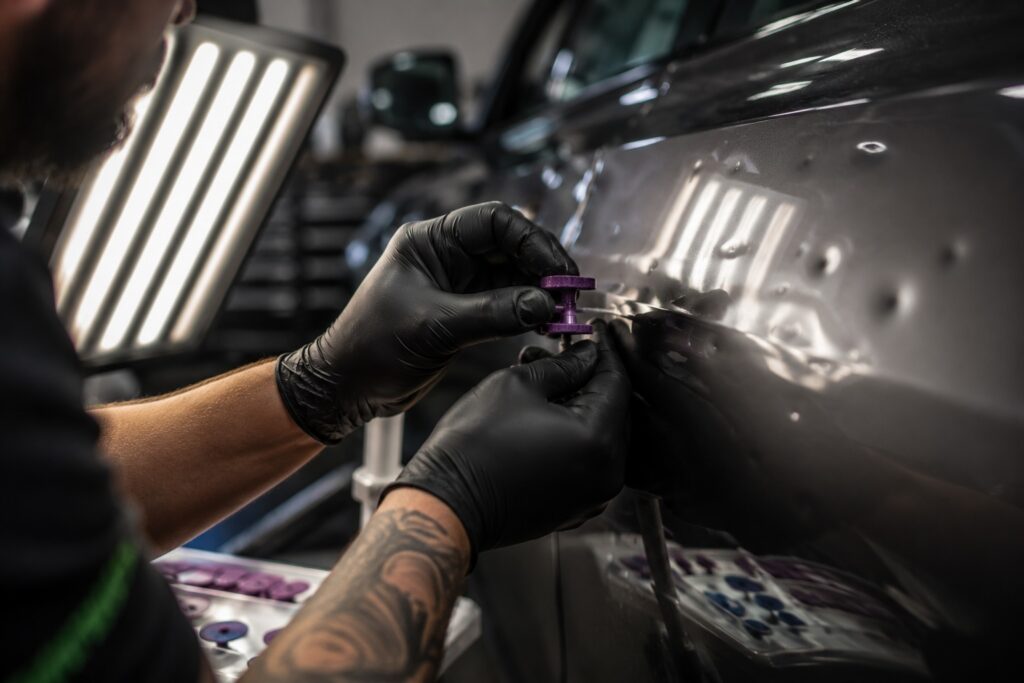
Glue Pull PDR: When to Use It and How to Do It Right Glue pulling has moved from an occasional workaround to a core PDR technique. On panels where rod access is limited, on damage that needs incremental movement, or on surfaces where you can’t risk marring with a tap down — glue is often the right call. But glue pulling done wrong is also one of the faster ways to put witness marks on a panel, burn up shop time re-pulling, or leave damage that’s harder to finish than what you started with. The technique is straightforward in principle. Getting it consistently right under real shop conditions — especially during high-volume hail season — takes a clear understanding of when and how. This guide covers the fundamentals: when glue pulling makes sense, how to set up the pull correctly, temperature and chemistry considerations, and the common mistakes that cost techs time and panels. When to Choose Glue Over a Rod Rods are the primary tool for most PDR work — faster, more direct, and more controllable for most dent types. Glue pulling earns its place in specific situations where rod access isn’t viable or where the approach to the damage dictates it. Limited or No Rod Access This is the most common reason to reach for glue. Sections of a door where internal structure blocks rod paths, areas behind reinforcements on newer vehicle platforms, certain roof damage scenarios near sunroof channels or structural rails — all of these create access problems that glue pulling solves cleanly. Before defaulting to R&I, evaluate whether the panel can be worked from the surface with a proper glue setup. For many common access limitations, glue is faster than the time cost of removal. Incremental Movement on Shallow, Wide Damage Large, shallow hail dents with gentle crowns often respond better to a series of glue pulls than to rod work. You can target specific areas within the dent, apply controlled upward force incrementally, and work the perimeter inward in a way that rod movement doesn’t always allow for from below. Sensitive Surfaces and Finishes Some older vehicles, certain factory finishes, and repainted panels don’t respond well to the contact of tap-down tools. Glue pulling lets you work the metal upward without any surface-side contact during the pull itself, reducing risk of finish damage during the repair process. When a Combination Approach Makes Sense On complex damage, glue and rod often work together — using glue to bring a stubborn high point down from above while a rod addresses the low areas from below. Don’t treat them as either/or tools. The best technicians use both on the same job when the damage calls for it. Setting Up the Pull Correctly The setup is where most glue pull problems originate. A well-applied tab on a well-matched glue formulation with the right tool gives you clean, controlled movement. A shortcut at any step in the setup compounds into wasted time and panel risk. Select the Right Tab Profile Glue tabs come in different profiles — round, star, rectangular, flex — and the right one depends on the dent shape. A small round tab concentrates force in the center of the dent. A larger star tab spreads force more evenly and works better on wider, shallower damage. Matching the tab footprint to the dent shape is the single biggest factor in pull efficiency. Don’t use a tab that’s significantly larger than the dent — the glue will bond to undamaged surrounding metal and you’ll lose control of where the force goes. Clean the Panel Surface Any surface contamination — wax, sealant, dust, fingerprints — reduces adhesion. Clean the repair area with IPA (isopropyl alcohol) immediately before applying glue. Don’t skip this on a busy day. Poor adhesion means you’ll re-pull the same dent while your efficiency numbers suffer. Apply Glue to the Tab, Not the Panel Load the glue onto the tab face, not directly onto the paint. You want consistent coverage across the tab footprint without excess glue that squeezes out to the panel edges and creates additional cleanup. One clean, even application. Set Time and Temperature Press the tab firmly to the panel and hold it — don’t just place it. The glue needs surface contact under pressure to bond properly. Wait for the glue to set appropriately for your formulation and the current ambient temperature. In summer shop conditions, this is typically faster than the glue manufacturer’s standard recommendation, which is usually written for cooler baselines. Temperature and Glue Chemistry: The Part Most Techs Underestimate Glue chemistry changes significantly with temperature, and June through August will expose any mismatch between your glue stick formulation and your shop environment. Hot Shop Temperatures A summer shop interior can easily reach 85-100F on a warm day. Standard or low-temp glue formulations that work fine in spring conditions will release tabs prematurely, give inconsistent adhesion, or fail mid-pull when the shop heats up. Use a high-temp glue stick rated for elevated temperatures. Test on a scrap panel in your actual shop conditions before committing to production work. Panel Surface Temperature A car that’s been sitting in the sun has a panel surface temperature well above the ambient shop temperature — sometimes 150F or higher. When a hot panel hits your bay, the glue formulation that’s right for 85F ambient can behave unpredictably. Let hot panels cool to shop temperature, or use a formulation rated for higher surface temps. Cold Weather Considerations (Off-Season) The opposite problem: in cooler months, standard glue can become brittle and lose pull strength. This guide is focused on summer/hail season use, but it’s worth knowing that glue chemistry management is a year-round consideration in regions with significant temperature variation. Pulling Technique: Speed, Angle, and Control Using a Pulling Bridge A pulling bridge applies force incrementally via a center screw, giving you controlled, adjustable upward pressure. This is the preferred tool for most glue pull work because it keeps the pull angle perpendicular to the

Toosl and Vhub App
Auto Recondition, Dent Repair, Estimating Software, Hail Season, PDR Software, PDR Tools

Best PDR Tools and Dent Lights for Hail Season 2026

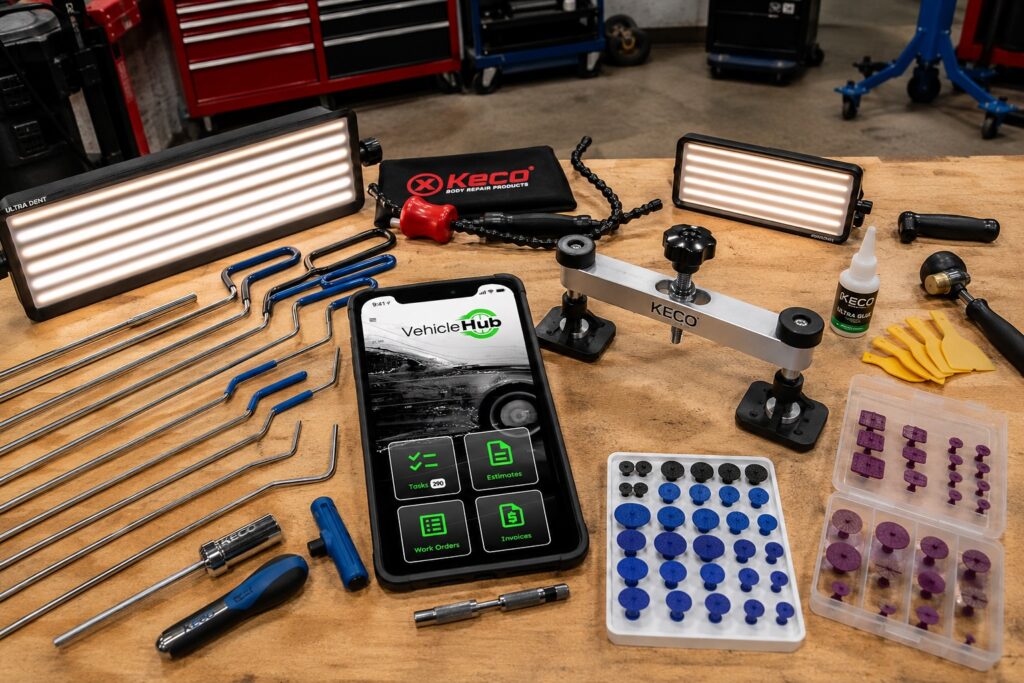
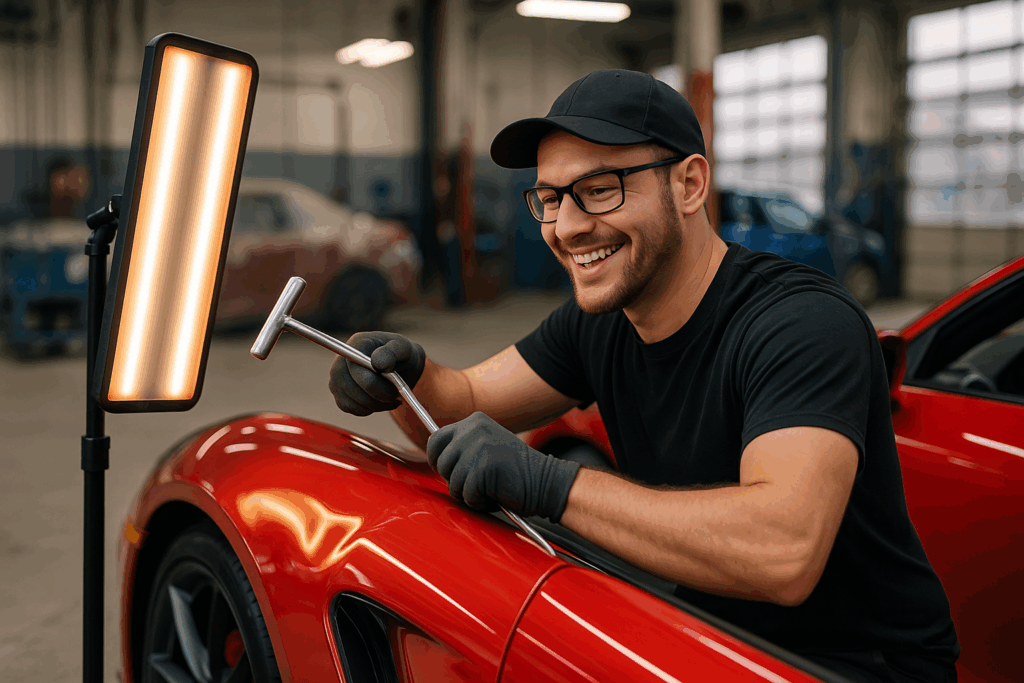
Best PDR Tools and Dent Lights for Hail Season 2026 Intro Hail season doesn’t care if your gear is ready. When a storm rolls through and 200 cars show up in your lot over three days, you’ll find out fast which tools hold up and which ones slow you down. This isn’t a listicle for hobbyists. This is a breakdown of the PDR equipment that serious technicians and shop operators are running this season — dent lights that give you an honest read on damage, rod sets that cover the common access points, and glue systems that don’t fight you on cold panels. If you’re gearing up for peak season or evaluating what to add before the next storm, this is the guide. Why Equipment Quality Actually Matters at Scale A single tech working a handful of cars a week can get by with mid-grade tools. A shop running 50+ hail jobs a week will expose every weakness in your equipment lineup. Poor dent lighting means techs are chasing shadows, misjudging depth and crown, and leaving work on the panel that a customer’s gonna find at pickup. A cheap light that works fine in a controlled environment becomes a liability under fluorescents with bad panel angles. Rod sets with limited reach mean techs are spending time on R&I (remove and install) for panels they should be able to access without it. That’s billable time going to setup instead of output. And glue systems — if the formulation isn’t matched to the temperature and panel type, you’re fighting the pull all day. Good glue chemistry isn’t optional in peak season; it’s the difference between clean work and regluing the same dent three times. PDR Dent Lights: What to Look For LED Line Boards The industry standard for most hail work. LED line boards give you tight, consistent reflection across flat and curved panels, making it easy to read damage size, depth, and whether you’ve moved metal. Adjustable arm mounts and stand heights are non-negotiable in a hail shop — you need flexibility between hoods, roofs, and door panels. What matters: uniform LED spacing (no hot spots), color temperature around 5000-6500K for accurate surface reading, and a housing that can take daily abuse on the shop floor. Specialty Lights for Crowns and Edges Line boards don’t tell you everything on high-crown panels or near body lines. Technicians working complex hail damage routinely keep a smaller, more directional light — often a snake light or a compact board — for reading the tension near raised edges and body character lines where a full board can create misleading reflections. Overhead Fluorescent Setups Some shops set up fixed fluorescent bar arrays overhead for initial triage — letting you walk a row of cars and quickly sort minor, moderate, and severe damage before assigning jobs. It’s not a substitute for proper dent lighting at the bay, but it speeds up the intake process significantly on high-volume days. PDR Rod Sets: Coverage Is Everything Hail damage shows up everywhere — roofs, hoods, deck lids, door panels, quarter panels, pillars. A rod set that doesn’t cover your common access points means techs are improvising or doing R&I they shouldn’t need to. Standard Steel Rods Every shop needs a solid core set of standard steel rods covering the common lengths and tip profiles for door panels, hood structures, and deck lids. Look for rods with good flex-to-stiffness ratios — too stiff and you’ll overshoot movement on thin modern steel; too flexible and you lose control on deep dents. Interchangeable Tip Systems For hail work specifically, interchangeable tip rods let technicians adapt quickly between flat-tip tapping work and hook profiles for under-panel access without switching to a completely different rod. It sounds like a small thing until you’re watching a tech spend three minutes swapping tools between every dent on a busy roof. Aluminum and Micro Rods Tight access areas on newer vehicle platforms — behind door reinforcements, inside pillar assemblies, around sunroof channels — often require micro rods and aluminum alternatives that flex into confined paths. As modern vehicles pack more structure into panels, rod coverage matters more, not less. Glue Pull Systems: Match Chemistry to Conditions Glue pulling has become a standard part of the hail toolkit, not a fallback. For panels where rod access is limited, or for working damage incrementally on sensitive surfaces, a reliable glue system is essential. Temperature-Rated Glue Sticks This is where shops run into problems. Using low-temp glue on a hot panel in June is going to cost you — tabs release too early, you lose your pull, and you risk marring the panel on release. Use glue formulations matched to your shop temperature and the panel surface temperature. This matters more in summer than any other time of year. Tab Systems and Pull Bridges Quality glue tabs (round, star, and flex profiles for different dent shapes) combined with a well-engineered pull bridge or slide hammer give you consistent, controlled pulls. Cheap tabs that don’t conform properly to the panel surface reduce pull efficiency and increase your chance of leaving witness marks. Managing Your Equipment in a High-Volume Shop Having the right tools matters. Having a system for tracking them matters just as much. In busy hail shops, tools walk. Rods end up in the wrong bay. Glue guns need refills nobody tracks. Lights get moved and not returned. The tech who shows up first gets the good setup; the one after lunch works with what’s left. Shops that manage this well assign equipment by bay and hold bays accountable. They do quick equipment checks at shift start. And they track their tool inventory the same way they track their job inventory — systematically, not from memory. Vehicle Hub’s work order system lets you tie equipment needs and notes directly to jobs, so you’re not running across the shop to figure out what’s assigned where. It’s a small thing that adds up across a 200-car hail week. Conclusion: Invest in Your

DRP IMage
Auto Recondition, Dent Repair, Insurance DRP, PDR Software, Recon Tech

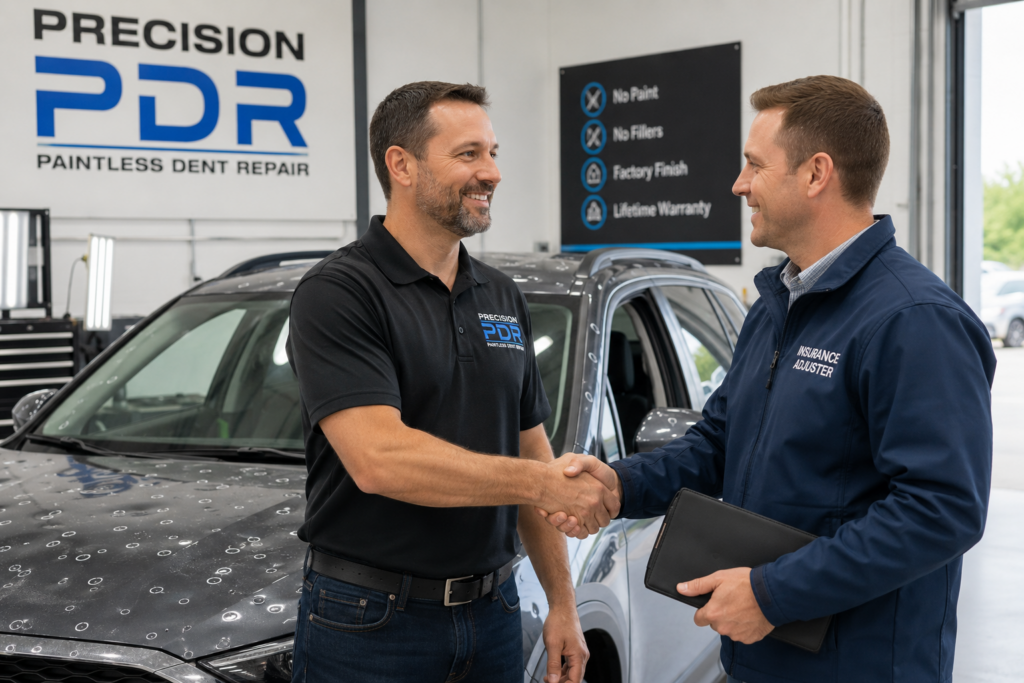
Insurance DRP Guide for PDR Shops in 2026

Insurance DRP Guide for PDR Shops in 2026 Insurance DRP Guide for PDR Shops: How to Build Referral Relationships That Drive Revenue For PDR shop owners looking to grow beyond organic traffic and word-of-mouth, Direct Repair Program (DRP) relationships with insurance carriers represent one of the most consistent volume drivers available — especially during hail season. This guide covers what DRP relationships are, how to get on carrier preferred vendor lists, what carriers expect from participating shops, and how to position your operation to win and keep those referrals. What Is a DRP Relationship and Why Does It Matter for PDR Shops? A Direct Repair Program is an arrangement between an insurance carrier and a repair shop where the carrier agrees to route vehicle damage claims directly to that shop without requiring the customer to shop around for their own repair facility. In exchange, the shop agrees to meet carrier standards for quality, documentation, response time, and pricing. For PDR shops, DRP relationships are particularly valuable during hail events. When a storm causes widespread damage, the carrier receives hundreds of claims simultaneously. Shops on the preferred vendor list get routed referrals immediately. Shops not on the list compete only for the customers who choose to come in on their own — a fraction of the potential market. In practical terms: a PDR shop with two strong DRP relationships in an active hail market can see 30-50% of their storm-season volume come through carrier referrals. That’s leads with no marketing cost attached. How DRP Credentialing Works The credentialing process varies by carrier but generally follows a similar path. Plan for 60-90 days from initial contact to active referral status. For shops targeting summer hail season, that means starting outreach in April or May. Typical credentialing steps: Initial contact with the carrier’s vendor relations or network development team. Most major carriers have a shop network page or regional contact on their website. Application submission. Carriers typically request proof of business license, garage liability insurance at specified coverage levels, technician certifications (I-CAR and manufacturer certifications are common requirements), and shop facility information. Site inspection. Many carriers send a field auditor to verify facility condition, equipment, and operational standards. Documentation and process review. Carriers want to see your estimate process, quality control procedure, and customer communication workflow. Agreement execution. You’ll sign a participating shop agreement outlining pricing caps, turnaround time commitments, and quality warranty expectations. Activation. Once credentialed, your shop appears in the carrier’s preferred vendor network and begins receiving routed referrals. What Carriers Look For in a PDR Shop Insurance carriers are making a brand trust decision when they add a shop to their DRP network. Their customers will experience your shop as an extension of the carrier’s service — so they’re evaluating your operation on multiple dimensions. Quality and consistency: Carriers want shops with a documented quality process, not just good techs. Before/after photo documentation, a defined inspection protocol, and a clear warranty policy all signal that your quality is repeatable, not just occasionally good. Estimate accuracy and speed: Carriers evaluate how quickly shops deliver estimates and how accurate those estimates prove to be versus actual repair costs. Shops that consistently deliver same-day estimates and close to their initial quote build strong carrier relationships. Professional documentation: An estimate produced on a professional platform with consistent formatting, line-item detail, and clean customer information is significantly easier for a carrier to process than a handwritten or improvised quote. Vehicle Hub’s estimate tools produce carrier-ready documentation as a natural output of your normal workflow. Customer communication: Carriers receive satisfaction feedback from customers they route to preferred shops. Poor customer communication at a DRP shop reflects on the carrier. Shops that proactively communicate status updates, deliver vehicles on time, and handle complaints professionally stay on preferred lists. Which Carriers to Target First Start with the carriers that represent the highest claim volume in your market. For hail-prone regions, State Farm, USAA, Allstate, and Farmers are typically the highest-volume carriers for hail damage claims. GEICO and Progressive have also significantly expanded their PDR shop networks in recent years. Regional carriers can also be valuable DRP partners — particularly because they often have less competition from large MSOs (Multi-Shop Operators) for preferred vendor status, and the relationship with a regional carrier can be more direct and collaborative. A practical starting point: look at the insurance companies appearing most frequently on the customers currently coming through your door. Those are the carriers with the most customers in your market — and the DRP relationship with the most immediate referral potential. Maintaining DRP Status: What Keeps Shops on the List Getting credentialed is the first step. Keeping preferred status — and getting continued high-volume referrals — requires consistent performance against the metrics the carrier monitors. Key metrics typically tracked by carriers: Customer satisfaction scores (from post-repair surveys sent by the carrier) Estimate-to-invoice variance (how close your final invoice is to the original estimate) Cycle time (days from drop-off to completed repair and customer pickup) Re-repair rate (how often vehicles come back with quality issues) Response time to new referrals (how quickly your shop contacts a routed customer) Shops that track these numbers internally — not just waiting for carrier feedback — maintain better performance and avoid surprises during carrier audits. Vehicle Hub’s job tracking and reporting features give shop owners visibility into these metrics as a byproduct of normal operations. The Right Time to Start Is Now The PDR shops that have strong DRP relationships during hail season didn’t build those relationships during hail season. They built them in spring — when the phone wasn’t ringing, when they had time to complete the credentialing process without distractions, and when they could make a strong first impression on a carrier rep who wasn’t fielding 200 storm claims simultaneously. If you haven’t started carrier outreach yet, this week is the right time. FAQ How long does it take to get credentialed with an insurance carrier DRP? Most carriers take 60-90 days

PDR Estimating Software
PDR Software

How Apps are Improving Accuracy in PDR Estimating & Damage Detection?

In the fast-paced world of automotive reconditioning, precision is everything. Whether you’re managing a busy paintless dent repair (PDR) shop, chasing hail storms, or serving customers on-site, accurate estimates determine not just profitability — but trust. That’s where modern mobile apps are changing the game. Apps such as Vehicle Hub are transforming the way technicians record, evaluate, and report dent repair estimates. Through the utilization of modern technology, these platforms can minimize the guesswork and errors, and enhance confidence in both professionals and customers. The Need for Greater Accuracy in PDR Estimating Traditionally, PDR estimating relied on manual inspection, experience, and rule-of-thumb pricing. Skilled professionals would visually count dents, estimate sizes, and apply industry matrices by hand — a process that’s subjective and prone to variation. This often leads to differing estimates for the same damage, creating confusion among customers, insurance partners, and technicians.  Inconsistent pricing doesn’t just undermine trust — it eats into profit margins. When two techs provide different quotes for identical damage, shops can struggle to standardize pricing, manage profitability, and defend numbers with insurers. Mobile apps are souping up this process by delivering consistent, data-backed evaluations every time.  How Mobile Apps Are Transforming Damage Detection? Modern PDR apps use smartphones and tablets as powerful estimating tools in the field. The significant improvements they bring include: 1. Photo-Driven Dent Detection Instead of manually recording damage, technicians capture photographs of the vehicle. Advanced image processing and machine-learning engines examine these photos to identify the number of dents, their size, and the affected panel. This reduces human error and subjective judgment. Apps like Vehicle Hub automate this analysis, enabling techs to generate accurate damage reports with just a few snaps.  2. Standardized Pricing Matrices Many apps embed industry-standard pricing tables (often customizable), which ensures that each estimate adheres to consistent benchmarks. By removing individual interpretation, these matrices ensure that similar damage yields similar pricing — whether it’s processed in the shop or in a remote lot. Vehicle Hub lets users apply both standard and custom pricing tables inside the app, helping businesses maintain consistency and profitability.  3. Instant VIN & Vehicle Data Integration When one scans the VIN or license plate of a vehicle, the information is immediately presented with details about the car, including make, model, and year. This saves a lot of manual data entry and makes sure that all estimates are in the correct specifications of the vehicle, making it more accurate and speeding up the working process.  AI and Automation: A Precision Boost Artificial intelligence (AI) isn’t just a buzzword — it’s a giant leap forward for real-world PDR work. AI engines embedded in apps like Vehicle Hub analyze uploaded images and detect damage parameters far faster and more consistently than a human eye alone. These systems calculate dent size, severity, and panel type, and then translate that information into precise cost calculations.  This technology eliminates much of the guesswork that used to dominate the estimating process. Instead of jotting down notes and building spreadsheets, recon professionals get accurate estimates in minutes. These AI-driven insights also help technicians defend estimates with customers and insurance carriers, providing photo documentation and time-stamped records that support every number.  Greater Productivity & Faster Turnaround Times Accuracy is important, but speed matters too — especially when service counts on customer satisfaction and quick turnaround. Apps reduce hours of administrative work to just a few taps: Create detailed, professional estimate reports. Embed annotated photos directly into estimates. Track damage and job progress from the parking lot to the back office Convert estimates instantly into invoices. With Vehicle Hub’s mobile-first approach, technicians can generate quotes on-site, update job statuses from the shop floor, and review financial reports right from their phones or tablets — no more back-and-forth with paper forms or spreadsheets.  Improved Customer Experience & Business Confidence Consistency and clarity in PDR estimating aren’t just beneficial for technicians — they’re a service differentiator for customers too. When clients receive precise, professional estimates backed by accurate photos and standardized pricing, trust grows. They will tend to endorse work and come back to be served again, and also refer others. When there is a good customer experience, it also gives a good picture of your brand. Applications such as Vehicle Hub facilitate the communication process, organize the records of customers, and assist shops in making estimates appear refined and reliable. This professional edge builds confidence, which translates into better conversion rates and repeat business.  Integration with Business Operations Beyond accuracy and estimating, leading PDR apps integrate with broader business operations. They assist in managing your whole recon business, including scheduling and CRM, invoicing, and collecting payments. Vehicle Hub provides some functions, such as work orders, customer history, and payment processing, on the same platform, which integrates mobile and back-office operations together.  A New Era for PDR Professionals Accurate PDR estimating and damage detection are essential to success in today’s competitive automotive repair environment. Mobile apps bring precision, automation, and consistency to every step of the process — from detecting a dent in the field to presenting an estimate that customers and insurers can trust. Vehicle Hub provides recon professionals with an effective tool that provides the correct and standardized estimates, combines advanced technology with daily routines, and enhances the overall customer experience. With such innovative mobile solutions, technicians have more time to repair better and less time to be involved in administrative overheads, which is a win-win for both businesses and customers.

2
Estimating Software, PDR Software

A Complete Guide to Choosing the Best Hail Damage Repair Software

After a hailstorm, auto repair pros, auto dealerships, and insurance adjusters face a daunting situation-how to quickly and accurately assess vehicle damage and generate professional estimates. And that is where hail damage repair software comes in — a modern solution that replaces traditional pencil-and-paper methods with automated, data-driven processes. In the current market, there are so many choices that one may have when coming to the right software. This informative post breaks down the key factors to consider so you can confidently select a hail damage repair solution tailored to your business needs. Why Should You Hail Damage Repair Software? Hail damage can be unpredictable and widespread, resulting in dozens or even hundreds of vehicles may have to be checked after only one storm. It is time-consuming, subjective, and prone to human error due to the time-consuming nature of manually determining the number of dents, the condition of the panel, measurements, and pricing of the vehicle. The latest hail damage repair software is powered by developed technology, such as AI, image recognition, and mobile access, to speed up the process, make it more accurate, and construct an estimate in detail that customers and the insurers will rely on. The right tool not only makes your work run faster, but it also helps to enhance service quality, customer satisfaction, and profitability. Core Features to Look for in Hail Damage Repair Software Not all hail damage repair tools are created equal. We have mentioned below some of the key features you should evaluate when comparing options: 1. Accurate Damage Detection and Assessment The dents and imperfections that vehicles have in their surfaces are the core of any hail damage software. Artificial intelligence-based tools have the ability to identify and measure hail dents in a shorter period and with a higher degree of accuracy compared to their manual counterparts. AI-directed platforms scan uploaded photos or scanned images and automatically detect dent size, location, and severity – lessening the guesswork and accelerating the inspections. 2. Cost Estimation Precision An intense hail damage program must give exact estimates of costs, relying on the prevailing industry rates. The old-fashioned cost calculators are manual input-based; however, the sophisticated ones are based on stored matrices, such as the amount of dents, panel complexity, labor rates, and removal correction, and create an estimate that meets the real-world repair data. Other calculators even combine with insurance standards to be consistent. Take into account how the software converts the data on dents into dollars. Is it open to a custom labor rate? Does it consider the panel materials or regional modifications? Such abilities are essential to provide professional quotes. 3. Mobile Accessibility for On-Site Work The most excellent hail repair equipment is that which can be accessed using a mobile device, which means that the technician will be able to examine the vehicle in place, whether it is a dealership, auction, customer home, or salvage yard. Access through mobile devices implies that your team does not need to use the desktop computers in the shop, but on a tablet or a smartphone, they can take pictures of the damage and create estimates and reports. 4. Photo capturing and annotation The ability to capture images of destruction and draw on spots directly in the software is a big time-saver. Such visual record keeping improves the visibility among the customers, the insurers, and associates a particular number of dents with the corresponding repair costs. Enhanced visual reporting is more effective in communication and lessens conflicts over what was and was not included in a quote. 5.  Business Workflow Integration High-end hail repair solutions are integrated with other programs that you might be utilizing – be it CRM software, invoicing, work orders, and job tracking. This single collocation eradicates data silos and maintains your entire workflow in interrelation, between initial assessment and invoice payment. As an example, sophisticated applications are built to directly include cost calculators within larger recon or repair management systems, meaning that estimates are not a step in the project life cycle but instead a part of the project. Evaluating User Experience and Support After determining the key features that you need, take into account the user experience and customer service: 6. Intuitive Interface  Select software with which the technicians can be trained easily, particularly when they are not technologically advanced. An easy-to-use, clean interface will minimize the learning curve and also provide uniform results throughout your team. Navigation is easy, and the directions are clear, which implies improved adoption and efficiency. 7. Powerful Customer Service and Training  The strongest tool can do nothing without support. Search among vendors who provide value in onboarding, tutorials, live assistance, and updates. It is especially significant when the storms hit, and your team has to be in action right now. Cost Considerations  The cost of repairs of the hail damage software is not only about the sticker price when it comes to budgeting. Evaluate: Subscription vs. one-time license fees. Add-ons or module costs User or device limits Support and upgrade fees Not only cost but also invest in a solution that will give in saved time and accuracy. Why Does the Vehicle Hub Stands Out? With a wide range of available services, Vehicle Hub offers a smooth and powerful combination of options that satisfy the needs of hail damage professionals and reconditioning companies. Vehicle Hub is a modern AI-powered mobile-first design, and price controls enable your team to evaluate, estimate, and report on hail damage more quickly and accurately than it used to be. Vehicle Hub will give your business a competitive advantage in the stormy seasons by combining real-time photo scan, VIN scan, and professional reporting processes, which allow your business to remove inefficiencies and minimize job turnaround. Selecting the appropriate software to use in your business  The choice of the superior hail damage repair software is all about fitting functions with your unique procedures – you could be a mobile technician, service manager of a dealership, or the owner of a

NOV 2025 BLOG POST
Auto Recondition, Dent Repair, PDR Software, Recon Tech

How VehicleHub App is Transforming Success for RECON Professionals

How VehicleHub App is Transforming Success for RECON Professionals The automotive reconditioning industry has undergone a remarkable transformation in recent years. Recon professionals no longer rely solely on clipboards, paper estimates, and manual tracking systems. Today’s most successful technicians and shops have discovered a powerful ally: mobile technology designed specifically for their unique needs. The Challenge Facing Modern RECON Operations Anyone in the recon tech field knows the frustrations all too well. You’re juggling multiple vehicles, tracking different stages of repair, and managing customer communications. Meanwhile, you’re trying to maintain accurate records while delivering quality work on tight deadlines. Traditional methods simply weren’t built for the pace and complexity of modern automotive reconditioning. For years, professionals searching for a dent repair cost estimator or PDR estimating software found themselves stuck. Generic business apps didn’t understand their workflow. Others cobbled together solutions using basic spreadsheets and note-taking apps, which led to missed details, communication breakdowns, and lost revenue. A Purpose-Built Solution for Paintless Dent Repair and RECON This is where VehicleHub has made such a significant impact. Unlike generic business management tools, VehicleHub was designed from the ground up for automotive reconditioning professionals. These are people who understand terms like mobile paintless dent removal, hail damage repair cost calculator, and auto recon application. The platform functions as a comprehensive pdr mobile app that travels with you from vehicle to vehicle. Whether you’re a solo mobile PDR technician or managing a full reconditioning facility, the app adapts to your workflow rather than forcing you to adapt to it. Real Results from Real Professionals What sets VehicleHub apart isn’t just its features—it’s the tangible results that recon professionals experience every day. Users consistently report significant improvements in their operations after implementing this recon application into their daily workflow. Streamlined Estimating and Invoicing The built-in cost of paintless dent repair hail damage calculator takes the guesswork out of pricing. Technicians can generate professional estimates on-site within minutes, which dramatically reduces the time between initial inspection and job approval. This speed advantage has helped many professionals close more deals simply by being first to provide a detailed, professional estimate. One PDR app user reported that the professional invoicing system alone helped legitimize their business. Insurance companies and fleet managers took notice of the polished presentation. When you can deliver detailed, branded invoices with before-and-after documentation, you’re no longer just a technician—you’re a professional service provider. Eliminating Costly Errors The transition from pen-and-paper to digital tracking has eliminated countless errors that once plagued recon operations. When you’re using paintless dent repair pdr tools alongside a comprehensive management app, every detail is captured accurately. Vehicle information, damage assessments, repair stages, and customer communications all live in one organized system. This unified visibility means nothing falls through the cracks. Managers can see exactly where each vehicle stands in the reconditioning process. Technicians know which jobs need attention, and customers receive timely updates—all without endless phone calls and status meetings. Enhanced Workflow Automation Perhaps the most transformative aspect has been the automated workflows that VehicleHub enables. Rather than manually tracking each vehicle through multiple stages of repair, the system handles coordination automatically. Technicians receive notifications when a vehicle is ready for their attention. Managers can identify bottlenecks before they impact deadlines, and administrative staff spend less time on paperwork and more time on customer service. For professionals offering services like Salesforce, CRM, Backoffice integration, VehicleHub’s compatibility matters. The app works alongside the tools you already use, which means you’re not starting from scratch. This creates a cohesive technology ecosystem for your entire operation. More Than Just a PDR Estimating Tool While many professionals initially discover VehicleHub while searching for a hail damage car repair cost calculator or PDR Estimating Software, they quickly realize the platform offers far more. The before-and-after photo documentation, customer relationship management, and detailed reporting features transform how entire businesses operate. The mobile-first design means your pdr app is always with you. Create estimates in the parking lot, update job status from the shop floor, and review financial reports during your commute home. This flexibility has been particularly valuable for mobile technicians who previously struggled to keep up with administrative tasks while moving between job sites. Building a More Professional Image Beyond operational efficiency, many recon professionals find that VehicleHub elevates their professional image. When you arrive with tablet in hand and create a detailed digital estimate on the spot, customers notice. You can capture comprehensive damage documentation with the car dent repair module and send a professional invoice before you leave the lot. All of this makes a lasting impression. This professionalism translates directly into customer confidence and repeat business. In an industry where trust and reliability are paramount, presenting yourself as a technology-forward, organized professional gives you a significant competitive advantage. The Path Forward for RECON Professionals The automotive reconditioning industry continues to evolve, and the professionals who embrace purpose-built technology are positioning themselves for long-term success. VehicleHub represents more than just a mobile app—it’s a complete business management platform designed specifically for the unique challenges of recon work. Whether you specialize in mobile pdr, operate a full-service reconditioning facility, or manage a team of technicians across multiple locations, having the right tools makes all the difference. The success stories from VehicleHub users demonstrate that investing in proper technology isn’t just about keeping up with competitors. It’s about unlocking your operation’s full potential. Experience the Difference If you’re still relying on outdated methods to manage your reconditioning operation, you’re working harder than you need to. The most successful recon professionals have already discovered how the right mobile app can transform their business, eliminate errors, and improve their bottom line. Ready to see what VehicleHub can do for your operation? Visit VehicleHub.tech to learn more about how this comprehensive platform is helping recon professionals across the industry achieve new levels of success. The future of automotive reconditioning is mobile, efficient, and profitable. The question isn’t whether to adopt modern technology—it’s whether you can afford

image
Auto Recondition, Dent Repair, PDR Software, Recon Tech

Paintless Dent Repair (PDR): Faster Repairs, Smarter Workflow for PDR Technicians

What Is Paintless Dent Repair? Paintless Dent Repair (PDR) removes dents without repainting—no fillers, sanding, or color matching. Using specialized rods, lifters, and precision lighting, techs massage metal back to its original shape. Because the factory paint stays intact, PDR is typically faster, more affordable, and better for resale value than traditional repairs. You’ll sometimes see it written as “painteless dent repair”—the correct term is paintless. Table of Contents   What PDR Can—and Can’t—Fix Best fits for PDR: Door dings and parking lot dents Hail damage repair across hoods, roofs, and trunks Soft dents on steel or aluminum panels Some crease dent repair when paint is intact and access exists When PDR isn’t ideal: Cracked/chipped paint over the dent Sharp edge dents with limited access Structural damage beneath the panel If you’re unsure, a quick photo estimate usually confirms whether PDR is a go. The Technician’s Challenge (and Why Software Matters) As a PDR tech or shop owner, your day isn’t just metal shaping. It’s: Fast estimates (including accurate hail matrix pricing) Clear work orders and status tracking Photo documentation and customer approvals Invoicing & payments to accounting Scheduling, dispatch, and multi-tech coordination Reporting on jobs, panels, pay, and profitability Doing this with spreadsheets, notes, or ad-hoc apps slows you down—and costs money in missed details and delays. How a PDR App Levels You Up (Why Pros Use Software) A modern paintless dent repair software platform like VehicleHub helps you move from lead → estimate → work order → invoice → payment without context switching. Core workflows you’ll care about: Photo-to-Estimate: Snap or upload photos; add dent count/size; produce a clean estimate fast. Hail Matrix Tools: Use insurer-friendly hail matrices; customize panels, counts, and add-ons. VIN/Plate Capture: Pull vehicle details quickly for accurate records. Work Orders & Tech Assignment: Convert approved estimates in one tap; track status (“New → In Progress → QC → Complete”). Mobile Invoicing & Signatures: Collect signatures on-device; send branded invoices instantly. Integrated Payments: Take payment in person or via link; reduce unpaid jobs. Accounting Sync: Push invoices and payments to QuickBooks Online (no double entry). CRM for PDR: Keep customer history, notes, and photos organized for repeat business. Reporting: Job profitability, tech performance, panel mix, and hail season throughput at a glance. Team Permissions: Admin, manager, and tech roles (so the right people see the right data). Bonus for growing teams: VehicleHub integrates with tools many shops already use—like Salesforce Sales Cloud for pipeline visibility for project/task views. A Day in the Life: PDR Job Flow with VehicleHub Lead comes in: Customer texts photos → create estimate with contact + vehicle basics. Estimate in minutes: Apply hail matrix or manual dent count; add labor/add-ons; send digital estimate. One-tap approval: Customer e-signs; estimate converts to a work order. Assign & track: Dispatch to a tech; status updates keep everyone in sync. Repair + QC: Tech logs time, attaches before/after photos, and marks complete. Invoice & pay: Generate invoice, apply tax/discounts, collect payment on device or via link. Auto-sync: The job and payment hit QuickBooks; customer gets receipt; CRM updates. Rinse & repeat: Reports show which panels, job types, or techs drive your best margins. Solo Techs vs. Multi-Tech Shops: What You’ll Notice Solo/Mobile Techs: Faster estimates, fewer no-shows, quick payments, cleaner books, and professional-looking documentation that wins referrals. Teams & Shops: Standardized pricing, fewer admin mistakes, real-time job status, accurate payroll inputs, and reporting that guides hiring and marketing. PDR vs. Traditional Body Shop Repair (Quick Comparison) Step-by-Step: How PDR Works Inspection – Technician checks dent size, depth, and paint condition. Access & Lighting – Panels are accessed from behind or with glue-pull techniques; special lights show micro-contours. Precision Pushing/Pulling – The tech slowly reshapes the metal using dedicated dent removal tools. Quality Check – Reflections are inspected from multiple angles to ensure a smooth finish. Mobile Dent Repair (Convenience Option) Many shops offer mobile dent repair, where a PDR tech comes to your home or office. This is ideal for small door dings or single-panel dents when access and lighting are suitable. Ask if your location and vehicle are good candidates for mobile service. Will Insurance Cover PDR? For hail damage repair, insurance coverage usually falls under comprehensive policies. For single dents (like a door ding), it depends on your coverage and deductible. A good shop will help with photos, estimates, and adjuster coordination if needed. Tips for Choosing a PDR Shop Experience: Look for certified or highly reviewed technicians. Before/After Photos: Real examples of similar repairs. Warranty: Reputable shops guarantee their work. Transparent Pricing: Clear estimates and timing. Communication: Willing to review photos and explain your options. PDR is already the fastest, most paint-safe way to remove dents. Pair it with a purpose-built PDR app and you’ll tighten the rest of your workflow—estimates, hail matrices, work orders, invoicing, and payments—so you can repair more cars in less time.

PDR Software

Auto Detailing & PDR Estimating Software

Auto Detailing & PDR Estimating Software Run Your Auto Recon Business with Auto Detailing PDR Estimating Software Welcome to VehicleHub – the one-stop platform designed to make life easier for auto-reconditioning professionals, maximizing efficiency and providing accurate results. From managing to customer invoicing, VehicleHub’s integrated tools are designed for any reconditioning expert who wants to take their recon business to the next level. We developed our app to assist you in operating your auto recon business efficiently. With VehicleHub, you now have all you require in one app, including advanced auto detailing software, intelligent PDR estimating software, and expert auto detailing invoice templates. Get Demo Auto Detailing PDR Estimating Software Built for Real-World Efficiency Our software is designed with solid auto detailing PDR Estimating Software as its backbone. It is designed specifically for detailers and reconditioning teams. This software also streamlines job scheduling, customer communication, and work orders—so you can spend more time preparing cars for the showroom and less on paperwork. With VehicleHub auto detailing software, you can Plan, assign, and control work in real-time Monitor the performance and completion of workers. Retrieve customer and service history in one app. Run reports on sales and services in one tap. Run your entire business in your pocket. Our auto detailing PDR Estimating Software leaves behind the clutter of clipboards and spreadsheets. It puts you in charge of your work, no matter if you’re in the shop, on the road, or the lot. Accurate and Fast Estimates with PDR Estimating Software Accuracy matters in Paintless Dent Repair, and with our PDR estimating software, you can create quick and accurate estimates that appear professional. It’s part of the VehicleHub platform, which maintains consistency in your estimates and keeps your business competitive. The main characteristics of our PDR estimating software are: Easy-to-use dent matrix tool with helpful photos. Photographic records and labelling of documented damage by panel VIN decoding allows for rapid vehicle identification. Flexible labor costs and prices Mobile-customer friendly estimates If you’re working on hail repair, door dings, or crease dents, VehicleHub’s PDR estimating software assists you in generating accurate and thorough estimates. This instils customer confidence and allows you to acquire more business. Create and Send Auto Detailing Invoices in Seconds with VehicleHub PDR Estimating Software Being professional is not just when you are done working—it also extends to how you bill clients. Our easy auto-detail invoice system allows you to create detailed invoices from finished work without any hassle. With the click of a button or two, you can convert a work order to a professional invoice and get paid faster. Advantages of using VehicleHub’s auto detailing invoice software: Automatically creating invoices based on completed jobs. Branded customer friendly invoices Integrated payment tracking and status reporting PDF exporting and sending via email functionality. Integration with online payment systems like Stripe and Quickbooks Online Our auto detailing invoice system streamlines your office work so that you can spend more time thinking about cars and less time thinking about paper. Whether your business is large or small, it’s easy, fast, and it looks professional to make invoices. Get Demo Why do reconditioning businesses prefer Our PDR Estimating Software? At VehicleHub, we support all those who are part of the reconditioning business—single detailers and PDR techs, multi-location enterprises, and all those in between. Our app is scalable, flexible, and designed with input from genuine recon pros. What makes Vehicle Hub Different? All-in-one solution: Detailing, estimating, billing, and team management Cloud access from any device Real-time monitoring and instant data synchronization no matter the device Tailored to your procedure and cost Designed by expert designers who understand what you require. Whether you are an auto detailing professional, a PDR expert, or even a full recon service provider, VehicleHub’s platform adapts to your business. How VehicleHub PDR Estimating Software Simplifies Running Your Auto Recon Business in Your Area? VehicleHub is not only another app but a whole business solution that is designed to assist you in operating your auto recon business effectively and efficiently. When you use our app, you get the power to: Streamline everyday tasks with effective auto detailing software. Provide fast, accurate quotes with intelligent PDR estimating software. Provide professional, branded auto detail invoices. Monitor work progress and technician performance. Enhance customer satisfaction and communication. Our application introduces transparency, efficiency, and organization into each aspect of your process. Start Using Our PDR Estimating Software Today If you’re in the recon business, it’s time to bring your operations up to speed with VehicleHub. From detailing operations and PDR estimates to invoicing and workflow management, VehicleHub is your one-stop shop for recon success. Here’s what you get when you join: A cutting-edge, mobile-first auto detailing software experience Robust PDR estimating software that assists you in getting paid quickly. Instant, professional car detailing invoices to customers A platform that scales with your business. Stop juggling with all those apps and old systems. Let VehicleHub assist you in operating your car recon shop or company intelligently—with auto detailing software designed for anyone operating in the reconditioning business.

© 2026 VehicleHub, LLC. All rights reserved
Scroll to Top