PDR Mobile App

August Blog Post 4
Dent Mobile App, Dent Repair, Estimating Software, Mobile Repair, PDR Mobile App, PDR Shop, PDR Software, PDR Tools

Mobile PDR Rig Setup: What Every Multi-Shop Van Needs

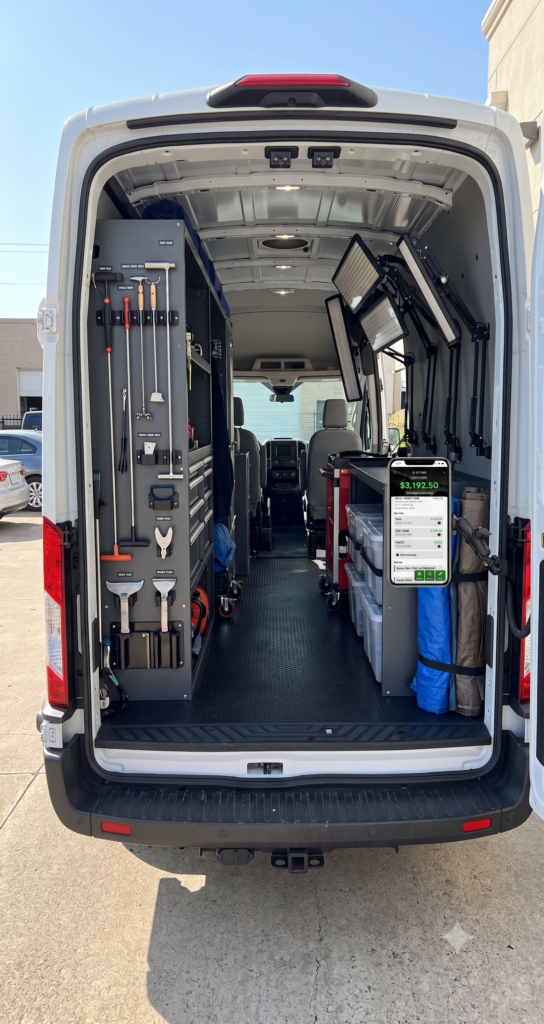
Mobile PDR Rig Setup: What Every Multi-Shop Van Needs Mobile PDR rig setup is the quiet difference between a tech who finishes six cars a day and one who finishes nine. Two vans can carry the same tools. Yet one runs like a shop on wheels while the other feels like a junk drawer with a steering wheel. By late August, after months of peak-season use, most rigs are due for exactly this kind of reset. A well-organized van saves minutes on every single job, and those minutes compound fast during a busy hail season. Consequently, mobile PDR rig setup deserves the same attention shop owners give their bay layout. It shouldn’t be an afterthought handled once a year when things get messy. Lighting Comes First Every mobile rig needs a dedicated lighting setup that doesn’t depend on parking under good sun. A portable dent light or LED reflection board should deploy in seconds. Store it so techs pull it out first, on every job. Techs who dig through gear to find their light are losing time before the work even starts. Additionally, a second, smaller light for tight spaces — door jambs, tucked-under trim, cramped access points — rounds out the lighting kit. Notably, many techs skip this second light. They pay for it later with missed dents near edges and creases. Tool Organization That Actually Holds Up Loose tools rolling around a cargo area cost more time than most techs realize. A dedicated tool wall or case system, with each tool in its own slot, cuts search time to nearly zero. It also protects tips and rods from damage during transport. Group tools by function rather than by size. Keep glue-pull equipment together. Group your prying and rod-based tools together, and store access tools — trim pullers, panel wedges — in their own labeled section. This way, a tech reaching for a specific approach doesn’t have to dig past unrelated gear first. Furthermore, secure everything for transport. A rig that arrives with tools shifted and scattered from the drive costs the first ten minutes of every stop just resetting the space before real work begins. Power, Access, and Weather Protection A reliable power setup keeps lights and any powered tools running without hunting for an outlet at the customer’s location. That might mean a built-in inverter, a portable power station, or simply well-maintained extension cords. In contrast, a rig that depends on finding power on-site loses flexibility fast. Weather protection matters just as much, especially for a mobile operation working storms. A pop-up canopy lets a tech work in the shade, out of direct sun and rain. That keeps quality consistent regardless of where the job happens to be parked. Where the Vehicle Hub App Fits Into a Mobile Setup A mobile rig isn’t just tools and lighting. It’s also the paperwork that used to live on a clipboard. Vehicle Hub lets techs pull up customer information, build an estimate, and open a work order right from their phone, on-site. No driving back to the shop to enter anything. For multi-shop operators running several mobile crews at once, this keeps every rig connected to the same records, no matter which tech or location handled the job. Photos, estimates, and invoices sync automatically. A mobile setup doesn’t have to mean a disconnected one. Your Mobile PDR Rig Setup Checklist Before Every Shift A quick checklist before every shift catches problems before they cost a job. Confirm both lights work and hold a charge. Check that tools are secured and accounted for. Verify power is charged or fueled, and confirm the phone or tablet running Vehicle Hub has a full charge and the current app version. This five-minute check, done consistently, prevents a far more expensive scenario. Nobody wants to arrive at a customer’s home only to discover a dead light or a missing tool halfway through a job that should have taken twenty minutes. Frequently Asked Questions How often should a shop review its mobile PDR rig setup? A full review every quarter works well for most shops, with a quick daily checklist before each shift. Peak season wear tends to loosen organization fast, so late summer is a natural time to reset. What’s the most commonly overlooked item in mobile PDR rig setup? A secondary light for tight spaces is the most common gap. Many rigs carry one main light and nothing for door jambs or cramped trim areas, which leads to missed damage in exactly those spots. Does a mobile setup need different technology than an in-shop bay? Not fundamentally, but connectivity matters more. A mobile tech needs a phone-based tool like Vehicle Hub to build estimates and work orders on-site, since there’s no shop computer to fall back on. How does mobile rig organization affect multi-shop consistency? Standardizing rig layout and digital tools across every mobile crew means customers get the same experience no matter which tech or location handled their vehicle. Reset Your Rig Before the Season Winds Down Mobile PDR rig setup isn’t a one-time project. It’s a habit that pays off every single day a tech is on the road. Tighten up the lighting, organize the tools, and put the paperwork on a phone instead of a clipboard. Try Vehicle Hub free and give every mobile crew the same connected setup your best techs already swear by. Sources Referenced in This Article SEMA: https://www.sema.org Auto Body News: https://www.autobodynews.com PDR Nation: https://www.pdrnation.net
AUGUST BLOG POST 2
Auto Recondition, PDR Mobile App, PDR Shop, PDR Software, Recon Tech

PDR Shop KPIs Every Multi-Location Owner Should Track

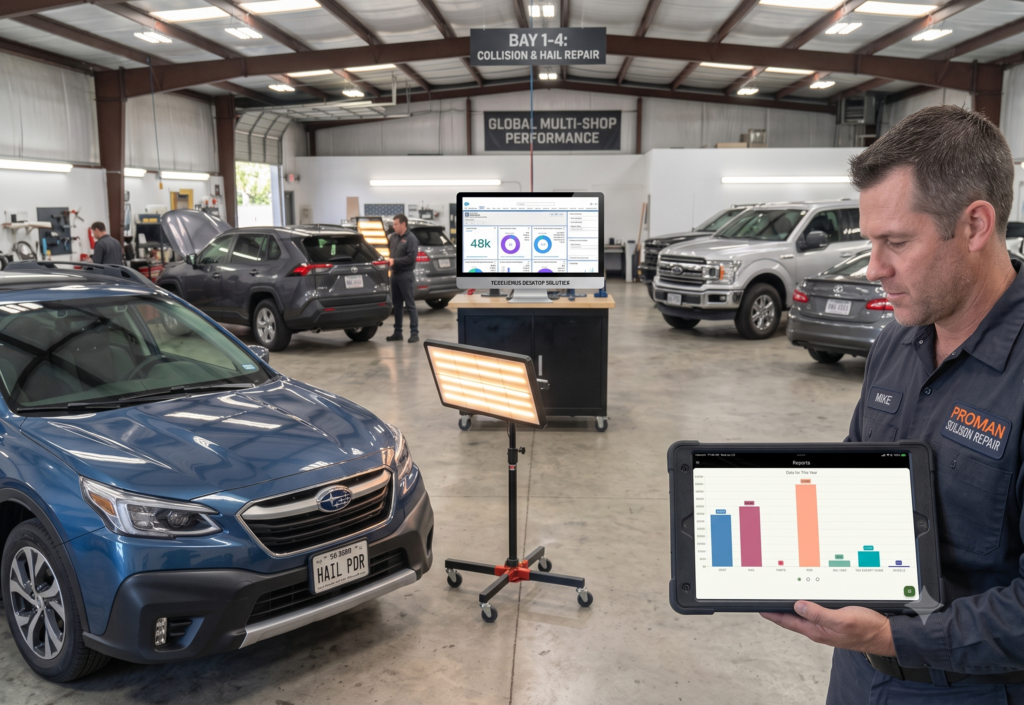
PDR Shop KPIs Every Multi-Location Owner Should Track PDR shop KPIs separate owners who know their numbers from owners who just feel busy. Feeling busy and being profitable are not the same thing. August is exactly when that gap shows up. Volume runs high, techs stretch thin, and cash moves fast in both directions. Without the right metrics, a shop owner running three locations can’t tell which one is actually making money. This is the trap of peak hail season. Revenue looks great on paper because cars keep rolling through the door. However, without tracking the numbers underneath that revenue, a shop can be busier and less profitable at the same time than it was during a slow month. Why Every Multi-Shop Operator Needs PDR Shop KPIs Single-location shops can often run on gut feel, because the owner sees everything firsthand. That approach breaks down fast once you’re managing multiple locations. You can’t be in three shops at once. So you need numbers that travel back to you the same day the work happens. Therefore, the goal isn’t tracking everything. It’s tracking the handful of PDR shop KPIs that actually predict whether a location is healthy. Review them often enough to catch a problem before it becomes expensive. The Core Numbers to Track Average repair cycle time tells you how long a car sits in your shop from drop-off to delivery. A rising cycle time, especially during a hail rush, often signals a bottleneck in parts, scheduling, or tech capacity. It’s rarely a lack of effort from your team. Estimate-to-final variance shows how often your written estimates match what the customer actually pays. A shop with wide variance is either underestimating damage upfront or losing money to unbilled supplements. Notably, this single number often explains more about shop profitability than revenue alone. Revenue per technician per day is one of the clearest ways to compare performance across locations, since it normalizes for headcount. Two shops with similar revenue can look completely different once you break the number down per tech, per day. Supplement rate — how often an initial estimate needs revision — is a strong proxy for your dent mapping and inspection process. A high supplement rate usually points back to a rushed walk-around, not a pricing problem. First-pass approval rate from your insurance partners matters just as much. Consequently, a low approval rate means adjusters are pushing back on your documentation. That slows payment and strains DRP relationships across every location you operate. Tracking PDR Shop KPIs Without Drowning in Spreadsheets Most multi-shop owners start with spreadsheets, and most eventually outgrow them. Manually pulling numbers from three different locations takes hours every week. Each location has its own habits and its own paperwork. Those are hours an owner doesn’t have during peak season. This is where a shared system pays for itself. Vehicle Hub captures estimates, work orders, and invoices from every location in one place. That standardizes the underlying data before you even run a report. Cycle time, supplement rate, and revenue per tech become numbers you can pull in minutes, not a Friday-afternoon spreadsheet project. As a result, comparing Location A to Location B stops being a guessing game. You’re looking at the same metrics, calculated the same way, updated in real time as techs close out jobs on their phones. Frequently Asked Questions What are the most important PDR shop KPIs for a multi-location operator? Cycle time, estimate-to-final variance, revenue per technician, supplement rate, and first-pass insurance approval rate cover the core of shop health. Most other metrics are secondary to these five. How do I compare performance fairly across different shop locations? Use metrics that normalize for size and headcount, such as revenue per technician per day, rather than raw totals. Raw revenue numbers favor bigger locations regardless of efficiency. Can KPI tracking help during a high-volume hail event specifically? Yes. Cycle time and supplement rate both tend to spike during hail rushes. Catching that early lets you shift staff or fix a documentation gap before it affects a whole month of jobs. Do I need special software to track PDR shop KPIs? Not strictly, but a shared digital system (like VehicleHub’s mobile or BackOffice Solution) saves significant time once you’re running more than one location. Manual spreadsheet tracking across multiple shops eats hours you could spend running the business. Know Your Numbers Before Peak Season Ends PDR shop KPIs aren’t about drowning your team in reports. They’re about knowing, in real time, which locations need attention before the numbers turn into a real problem. Vehicle Hub’s backoffice tools pull estimate, work order, and invoice data into one dashboard automatically. You spend your review time making decisions instead of chasing numbers. Try Vehicle Hub free and see what your shops actually look like once the data is in one place. Sources Referenced in This Article SEMA: https://www.sema.org Auto Body News: https://www.autobodynews.com Insurance Information Institute: https://www.iii.org/fact-statistic/facts-statistics-hail

Aug Blog Post 1
Dent Repair, Hail Damage, Hail Event, Hail Season, PDR Mobile App, PDR Software, PDR Tools, Uncategorized

Hail Damage Dent Mapping That Speeds Up PDR Estimates

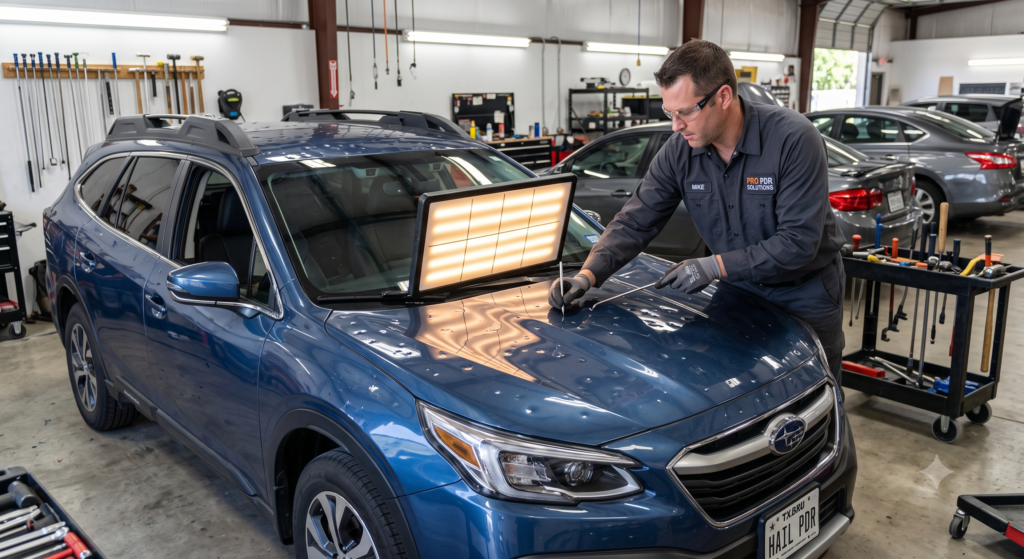
Hail Damage Dent Mapping That Speeds Up PDR Estimates Hail Damage Dent Mapping That Speeds Up PDR Estimates Hail damage dent mapping is the difference between an estimate that holds up and one that gets picked apart by an adjuster. Every tech has a system. But the shops that scale past one location share the same habit: they map damage the same way, every time, on every car. That consistency turns a walk-around into a number the insurance company actually trusts. This matters more in August than almost any other month. Peak hail season runs from May through August. The busiest states this year include Illinois, Iowa, Wisconsin, Ohio, and Missouri, alongside long-time hotspots like Nebraska and Texas. Cars are coming in fast. Shops that map damage loosely end up re-quoting jobs, arguing with adjusters, and losing hours they don’t have. Why Hail Damage Dent Mapping Matters More Than Ever Hail damage dent mapping is the difference between an estimate that holds up and one that gets picked apart by an adjuster. Every tech has a system. But the shops that scale past one location share the same habit: they map damage the same way, every time, on every car. That consistency turns a walk-around into a number the insurance company actually trusts. This matters more in August than almost any other month. Peak hail season runs from May through August. The busiest states this year include Illinois, Iowa, Wisconsin, Ohio, and Missouri, alongside long-time hotspots like Nebraska and Texas. Cars are coming in fast. Shops that map damage loosely end up re-quoting jobs, arguing with adjusters, and losing hours they don’t have. A Repeatable Hail Damage Dent Mapping Process Start with lighting. A dent light or reflective board catches shadow lines that overhead shop lighting simply won’t show. Walk each panel in a consistent pattern — roof, hood, trunk, then sides. Nothing gets skipped just because a phone rang or a customer walked up. Next, grade severity, not just count. A shop that only counts dents treats a dime-sized ding the same as a crease over a body line. That’s a mistake. Size, depth, and location on the panel all affect labor time. Notably, dents near edges, ridges, or high-crown areas take longer to pull clean, even when they look similar to a dent in the flat of a panel. Third, document as you go. Snap a photo of each panel before you touch it. Log dent counts by zone. Note any access issues — trim that needs R&I, moldings in the way, or areas where blending might be required. This record becomes your estimate backbone. It’s also your defense if an adjuster pushes back later. Finally, standardize your severity scale across the shop. Whether you use a 1-5 scale or a simple light/moderate/severe system, every tech and every location should use the same one. Otherwise, two techs looking at similar damage produce two very different numbers. That inconsistency is exactly what erodes trust with insurers and customers alike. Where Vehicle Hub Fits Into the Process Paper tally sheets and memory don’t scale past one location. They definitely don’t scale during a 200-car hail event. Vehicle Hub lets techs log dent counts, severity grades, and photos by panel directly from a phone, right at the vehicle. That data feeds straight into the estimate, the work order, and eventually the invoice. No re-entry. Nothing lost to a sticky note. No guessing what a coworker meant by “moderate.” For multi-shop operators, this matters even more. A tech in one location and a tech in another can map damage the same way, because the tool enforces the process, not just the training. As a result, estimates come out consistent no matter who wrote them or which location did the work. Avoiding the Most Common Mapping Mistakes Skipping edge and crease inspection is the most expensive mistake in the trade. These areas take longer to repair. Missing them upfront guarantees a supplement request later. Similarly, eyeballing severity instead of grading it consistently creates estimate drift across a team. One tech’s “moderate” is another tech’s “severe.” Another common mistake: mapping damage without documenting access issues. If a dent sits behind a trim piece that needs removal, that’s real labor time. Leave it off the initial map, and the shop eats the cost. Or it has to go back to the customer or insurer for more money — a conversation nobody enjoys having twice. Frequently Asked Questions How long should hail damage dent mapping take on an average vehicle? A thorough map, including photos and severity grading, typically takes 15-25 minutes per vehicle for a trained tech. Rushing this step tends to cost far more time later in supplements and disputes. Do insurance adjusters expect a specific dent mapping format? Most adjusters don’t require a specific format. They do expect consistency and documentation. A clear photo record and a repeatable severity scale go a long way toward a smooth approval. Can shops reuse dent mapping data across multiple locations? Yes, and they should. Standardizing the process with a shared digital tool like Vehicle Hub means every location produces estimates the same way. That builds trust with DRPs and reduces internal disputes over pricing. What’s the biggest sign a shop needs a better dent mapping process? Frequent supplements and slow adjuster approvals are the clearest signs. If estimates keep changing after the initial walk-around, the mapping process — not the tech’s skill — is usually the root cause. Get Your Estimates Right the First Time Hail damage dent mapping isn’t glamorous. But it’s the step that protects your margin and your relationship with every insurer you work with. Build the habit. Standardize it across your team. Give your techs a tool that captures the data cleanly the first time. Try Vehicle Hub free and see how much faster your estimates move when dent mapping actually works the way it should. Sources Referenced in This Article Insurance Information Institute – hail statistics: https://www.iii.org/fact-statistic/facts-statistics-hail Auto Body News:

Blog Post 4
Auto Recondition, Dent Mobile App, Estimating Software, PDR Mobile App, PDR Shop, PDR Software, Recon Tech

Peak Season Staffing for Multi-Location PDR Operations

Peak Season Staffing for Multi-Location PDR Operations Running a single PDR shop during hail season is hard work. Running two, three, or five locations when a storm system rolls through your region is an entirely different management problem — and it breaks the operators who haven’t thought through it before the first car shows up. The challenge isn’t just having enough techs. It’s having the right techs in the right places, keeping production quality consistent across locations, protecting your best people from burnout, and maintaining the operational visibility to make decisions in real time. Many multi-shop operators can do one or two of those things well. The ones who do all four at scale are the ones building durable businesses. Why Multi-Location Staffing Is Harder Than It Looks In a single-location shop, you’re present. You see who’s working fast and who’s struggling. You notice when an estimate came in low. You can personally redirect a tech if a job is taking longer than it should. The shop runs, in part, on your direct observation. Specifically, multi-location operations remove that direct observation layer. Each location has its own rhythm, its own team dynamics, and its own manager making real-time calls. When a storm event hits and volume triples at two or more of your shops simultaneously, those managers are making decisions you can’t personally supervise — with labor resources that may be insufficient and a backlog that’s growing by the hour. Consequently, the systems and protocols you build before the season determine how well those managers perform when the pressure is on. Build a Float Tech Roster Before You Need It The single most important staffing tool for a multi-location hail operator is a bench of float techs: experienced contractors who can move to a market on short notice, integrate with your workflow quickly, and produce quality work without close supervision. This roster does not build itself in the middle of a storm event. Furthermore, the good float techs have multiple operators calling them at the same time — they go to the operators they already have a relationship with. Building those relationships in the slow season, paying them fairly when you use them, and making it easy for them to work with your shops is what gets you their number when you need it most. What to Look for in Float Techs The profile you’re looking for is different from a full-time hire. Float techs need strong production skills, but they also need flexibility and the ability to read a new shop’s rhythm quickly. They’re not going to know where your tools are or how your intake system works. Therefore, the lower the friction cost of onboarding them to your shop — and the clearer your work order and intake process — the faster they’re producing value. A shop with clear work orders, organized job records, and a straightforward intake process brings a float tech up to speed in an hour. A shop running on handwritten notes and verbal instructions takes days — and during storm season, you don’t have days. Protect Your Core Team The temptation during a major hail event is to run your best techs as hard and as long as they’ll let you. They’re the most capable, the most reliable, and the most efficient — so the rational move seems like using them as much as possible. That logic is correct over a week. Over a summer, it destroys people. The PDR techs who leave for competitors or go independent almost always cite burnout as the primary reason. Moreover, losing a top tech in August — because you ran them down in June and July — costs you far more than the margin you gained in those extra hours. Set Production Targets, Not Hours The most effective approach is to manage your core techs by production targets rather than time on the floor. A skilled tech who completes 45 panels a day and goes home at a reasonable hour is more sustainable than one grinding through 60 panels while accumulating fatigue injuries and resentment. Define what a strong day’s output looks like, set that as the target, and let techs leave when they hit it. Additionally, this model makes float tech contributions easy to measure. You’re not managing attendance — you’re managing output. That clarity works across locations and across employment arrangements. Build Operational Visibility Across Locations When you’re managing multiple locations through a surge event, you need to know — in real time — where each shop stands. How many vehicles are in the queue? Where are the bottlenecks? Which location is running out of capacity first? Are there jobs waiting on parts, insurance approvals, or customer callbacks? Without a centralized system, answering those questions requires calling each location manager and assembling a picture from their individual reports. That takes time you don’t have, and the picture is only as accurate as the last call. Centralize Job Records and Work Orders A shop management platform that gives you visibility across locations isn’t a luxury for multi-shop operators — it’s infrastructure. When every shop is entering job information, estimates, and work order status into the same system, you get a real-time view of the entire operation from any device. That visibility lets you make decisions: send a float tech to Location B because Location A is actually ahead of pace; redirect an adjuster appointment because the manager at Location C is overwhelmed; call a customer at Location A whose vehicle is done and move the job through to invoicing without waiting for the manager to have bandwidth. Standardize Your Intake Process Across Locations Each location running its own intake process creates inconsistency in your customer experience and makes cross-location management harder. Moreover, when a float tech moves between shops or a manager covers at a different location, they’re operating in an unfamiliar system — which slows them down precisely when speed matters most. Standardizing your intake checklist, estimate format, work order structure, and invoice process

© 2026 VehicleHub, LLC. All rights reserved
Scroll to Top