PDR Shop

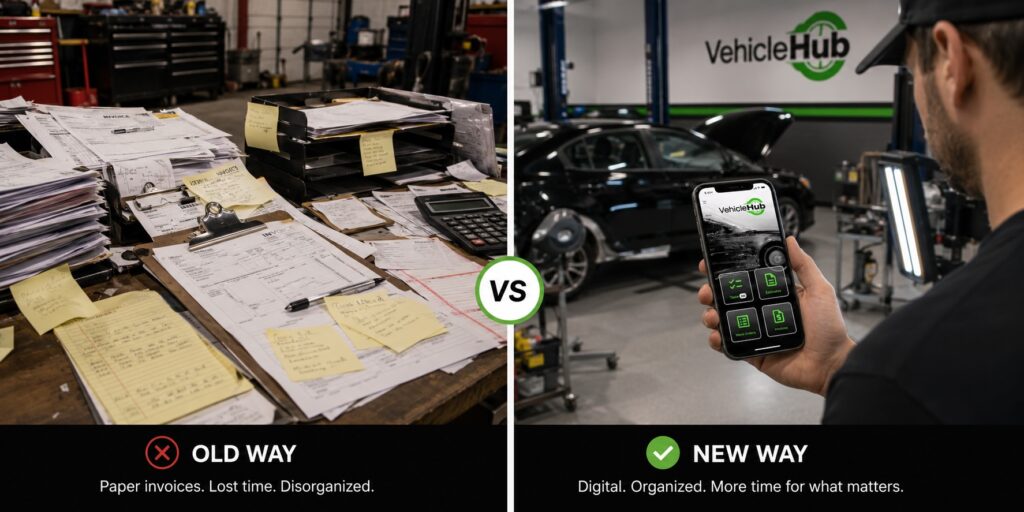
Paper versus Mobile App
PDR Shop, PDR Software, PDR Technique, PDR Tools, Recon Tech, Uncategorized

Going Paperless: Digital Workflow Tools Save PDR Shops Hours

Going Paperless: Digital Workflow Tools That Save PDR Shops Hours Every Week The PDR shop running on paper in 2026 isn’t just behind the curve — it’s actively costing itself money. Not in some theoretical, long-term-efficiency way. Right now, on actual jobs, during actual hail events. Lost estimates. Work orders that don’t make it from the lot to the bay. Invoices that go out a week after the car was delivered. Customer contact info on a sticky note that ended up in the trash. These aren’t unusual horror stories — they’re what paper-based workflows produce at scale, every season. This guide is for shop owners who are ready to stop fighting the paperwork and start running their operations the way their PDR work already runs: systematically, efficiently, and without relying on memory and luck. What ‘Paperless’ Actually Means for a PDR Shop Going paperless doesn’t mean eliminating every physical artifact. It means digitizing the information and workflow steps that currently create friction, slowdowns, and revenue leakage. For a PDR shop, the core workflows that benefit most from going digital are customer intake and contact management, damage documentation and estimates, work order assignment and tracking, invoicing and payment collection, and job history and records. When these five workflows are digital and connected — meaning the info entered at intake flows through to the work order and then to the invoice without re-entry — the time savings and error reduction are significant. When they’re on paper and clipboard, every handoff is a potential failure point. The Real Cost of Paper-Based PDR Operations Time Lost to Re-Entry and Lookup Paper workflows require information to be recorded multiple times: intake form, work order, invoice. Every re-entry takes time and introduces error. When a customer calls to check status, someone has to physically walk to a file or whiteboard. When you’re running 100 cars during a hail event, that adds up to hours per week of pure overhead. Invoice Delays and Revenue Leakage Paper invoice processes have natural lag built in. The tech finishes a car. The paperwork goes to the front desk. The front desk processes the invoice. The customer gets billed. In a busy shop, this chain can take days — and some invoices never get fully closed out. Industry estimates suggest 10-15% of hail-season revenue can leak through billing inefficiencies in shops without tight invoicing systems. Communication Gaps Between Lot and Office When the lot is running on verbal updates and handwritten notes, your office staff is always working with stale information. Customers calling for updates get ‘let me check and call you back.’ Techs finishing cars have to find someone to notify. Status lives in people’s heads rather than in a system anyone can check. No Job History Without a Filing System Paper records require physical storage and retrieval. Finding a customer’s previous visit means pulling a folder. Running any kind of reporting on job volume, revenue by vehicle type, or turnaround times means manual tallying. None of that information is searchable or accessible in a moment. What Digital Workflow Looks Like in Practice The shift doesn’t have to be complicated. The shops that make it successfully don’t overhaul everything at once — they replace the highest-friction paper touchpoints first. Mobile Intake and Estimating Digital intake means pulling up an app on a phone or tablet at check-in, entering the customer’s contact info, vehicle details, and damage notes with photos attached — all in under three minutes, right on the lot. The estimate gets generated from that same record. No paper form to transcribe later. This is how Vehicle Hub works. The information you enter at intake becomes the work order, and the work order becomes the invoice. One record, followed through the whole job lifecycle. Work Order Assignment and Status Tracking Once a job is in the system, it can be assigned to a tech digitally — and that tech can update status (in progress, complete) from the same app. The floor coordinator and office staff see the same status in real time. No whiteboard to walk to. No calls across the shop. Digital Invoicing and Payment When a car is marked complete, the invoice goes out the same day — by email or SMS, depending on customer preference. No delay, no relying on the front desk to process a paper invoice. The customer gets a clear, professional invoice immediately. Payment can follow the same digital path. Searchable Job History Every customer and every job exists as a record in the system. When a repeat customer comes in, their history is there. When you want to know how many cars you delivered last Tuesday, it’s a filter. When you want to see which types of damage are taking the most time, you have the data. None of this requires a filing cabinet or a manual tally. Choosing the Right Tools: What to Look For Not every shop management tool is built for PDR operations. Generic contractor software or auto repair platforms often assume workflows that don’t match how PDR shops actually work — particularly during hail events where speed of intake and invoicing matters more than comprehensive repair order management. Built for Mobile, Not Just Adapted for It The intake process happens on the lot, not at a desk. The tool needs to work well on a phone in variable lighting, with quick entry, without requiring a desktop to complete workflows. Apps that are primarily desktop tools with a mobile ‘version’ tacked on will create friction at the exact moments that matter most. Covers the Full Job Lifecycle You want a single tool that handles intake through invoicing, not three separate tools that don’t talk to each other. Every additional system is an additional point of failure and another source of information duplication. Simple Enough That the Whole Team Uses It The best system is the one your team actually adopts. If it’s complicated enough that techs won’t update job status or intake staff won’t use the estimate builder,

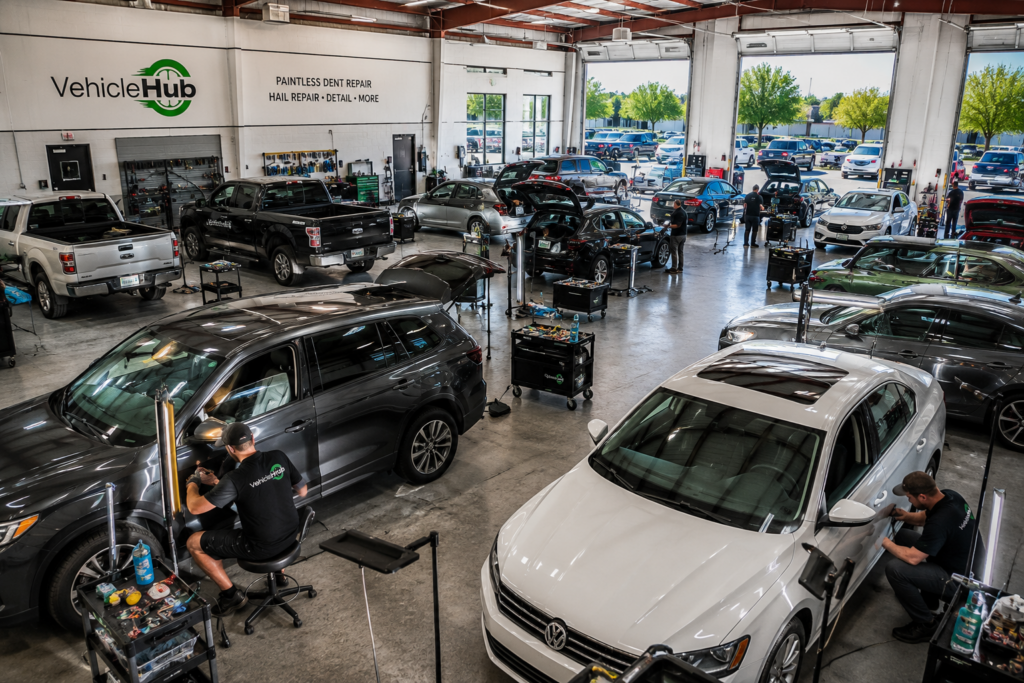
Vhub Shop Image
Dent Repair, Hail Event, Hail Season, PDR Shop

How to Manage a High-Volume Hail Event at Your PDR Shop

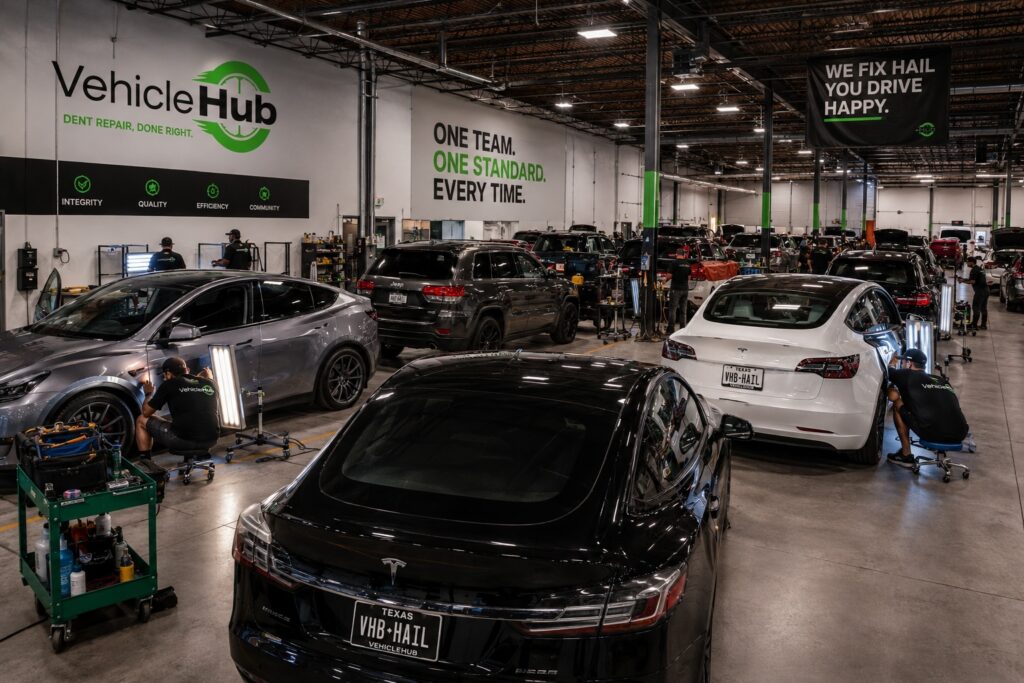
How to Manage a High-Volume Hail Event at Your PDR Shop A couple hundred cars. Three days. One shop. That’s the scenario waiting for PDR shops in hail season, and the difference between a shop that handles it well and one that comes out the other side exhausted, behind on billing, and losing customers to communication breakdowns — isn’t skill level. It’s systems. This guide is a ground-level breakdown of how high-performing PDR shops manage major hail events without losing their minds or their margins. These aren’t theoretical best practices. They’re the actual operational moves that keep throughput high when volume spikes hard. The First 24 Hours Set the Tone The moment you know a significant storm has passed through your market, the clock starts. The shops that come out ahead are already moving before the phones start ringing. Get Eyes on Your Lot and Assess Capacity Before you take a single call or commit to an intake volume, you need to know exactly how many cars your shop can realistically process per day. Not how many you’d like to handle — how many you can actually deliver, fully worked, in a day. Count your functional bays, your available techs, and your typical output per tech on moderate hail. That’s your daily capacity ceiling. Overcommitting in the first 48 hours is how shops end up with angry customers and a backlog that drags into month two. Set Up a Staging Area Outside Your Bays Your bays are for working cars. Everything else — intake, triage, waiting, and finished cars — needs to happen outside the bays. Set up a clearly defined staging area before the first cars arrive. Cars waiting for tech assignment go here. Cars done but waiting for pickup go here. Bays stay clear for production. Triage Every Car Before It Enters a Bay This is non-negotiable for volume events. Every car gets a damage walk-around and a severity classification — quick, moderate, complex — before it ever enters a production bay. This is what keeps your best techs working on jobs that need their skill level, and prevents mismatched assignments from killing your hourly throughput. Role Separation Is What Scales When a shop runs on one person knowing everything, it tops out at what one person can track. High-volume hail events expose this ceiling fast. Designate an Intake Owner One person — and only one — owns customer intake during a hail event. They take the calls, collect info, schedule drop-offs, set expectations on turnaround time, and make sure every incoming car has its information logged before it hits the lot. This person does not work the bays. Their entire job is the front of the pipeline. Designate a Floor Coordinator This is the person who knows where every car is at every moment. They move cars from staging to bays, assign jobs to techs, field questions from techs mid-job, and make sure finished cars go back to staging and not back into the production flow. In smaller shops, this might be the owner. In larger ones, it needs to be a dedicated role during peak events. Let the Techs Tech Your skilled PDR technicians should be spending the maximum possible time with tools in hand. Every minute they spend walking across the shop to find paperwork, talk to a customer, or wait to find out their next job is lost production. The roles above exist specifically to protect tech time. One Source of Truth for Job Status The single most common operational failure during high-volume hail events is a lack of shared, real-time job status visibility. When different people in the shop have different answers to the question ‘where’s that silver Camry?’ — you have a problem. Pick One System and Use It Consistently It doesn’t matter whether it’s a whiteboard with magnets, a shared spreadsheet, or a shop management app — pick one system and make it the only system. No parallel paper lists. No mental tracking. The system is the authority. Vehicle Hub is built specifically for this use case. The app lets your intake person log a vehicle and its info at check-in, your floor coordinator track job status in real time, and your front desk send invoices without having to chase down completion info. Everyone on the same page without a single phone call. Update Status at Every Stage Gate Define the stage gates in your process — checked in, triaged, assigned, in progress, complete, delivered, invoiced — and make it a requirement that status gets updated at each one. If a car is sitting and nobody knows why, that’s a visibility failure, not a people failure. Build the update habit into the workflow, not as an afterthought. Communication With Customers During a Hail Event Hail events spike customer anxiety. People don’t know how bad their car is, they don’t know when they’ll get it back, and they’re worried about insurance. The shops that handle this well set expectations explicitly at intake and then follow up proactively — they don’t wait for the customer to call. Set a realistic completion window at check-in, give a specific follow-up date (not ‘we’ll call you’), and hit that follow-up whether or not the car is done. A quick update call even when there’s nothing new to report does more for customer retention than a perfect job with no communication. With Vehicle Hub, you can log customer contact info and job notes at intake, so follow-up doesn’t depend on whoever took the original call remembering the details. After the Event: The Debrief That Pays for Itself When the last car goes out and the lot is clear, the most valuable thing a shop owner can do is a structured debrief before the details fade. What did daily throughput actually look like vs. your capacity estimate? Where did jobs stall? Which role had the most bottlenecks? What customer complaints came up and why? Which vehicles or damage types took longer than expected? The answers to these

© 2026 VehicleHub, LLC. All rights reserved
Scroll to Top